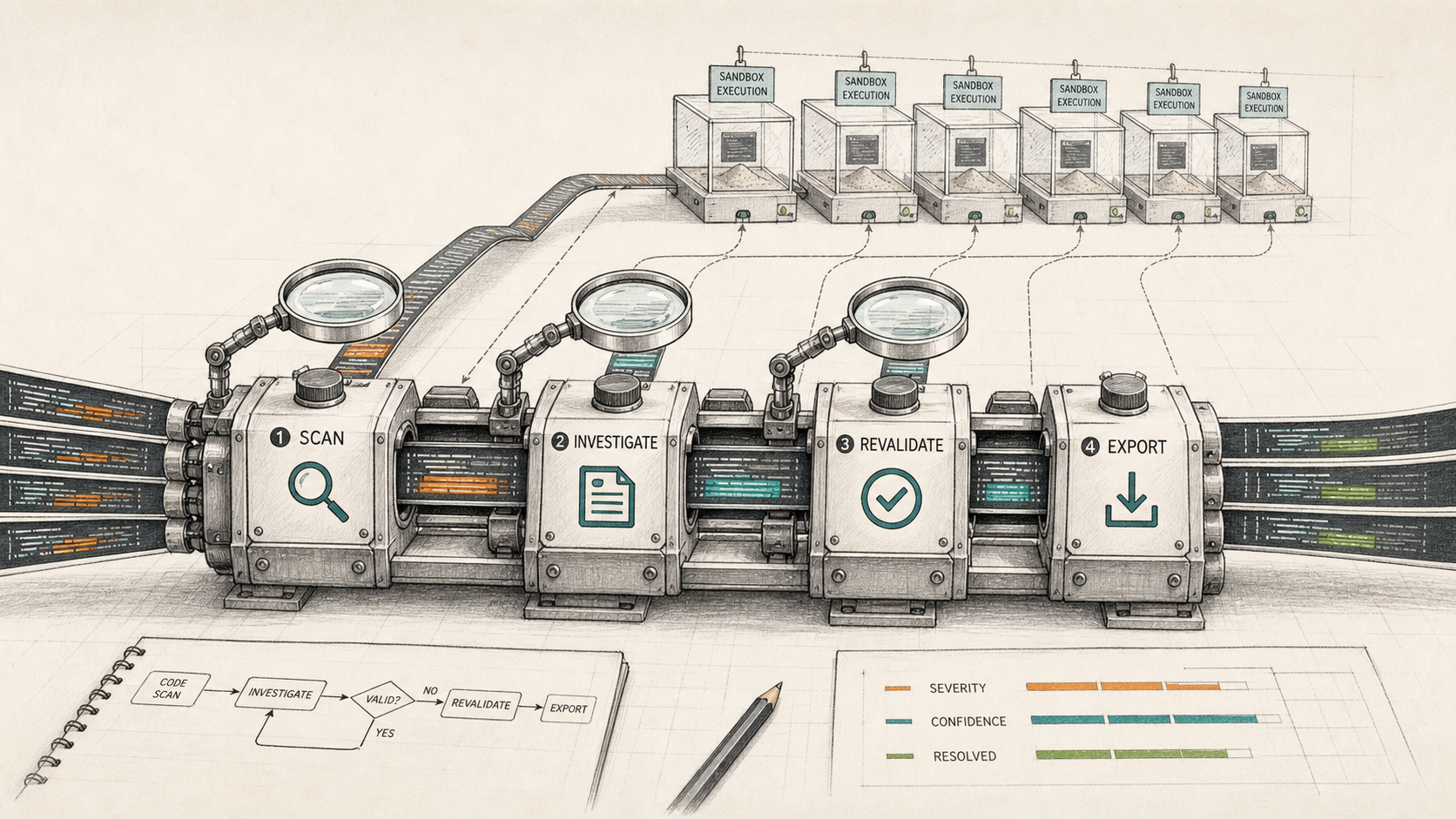
Vercel introduced deepsec on May 4, 2026: an open source security harness for finding vulnerabilities in large codebases with coding agents.
Setup is very Vercel:
npx deepsec init
You can use your existing Claude or Codex subscription. No new cloud service has to get privileged source access just to start. Good.
Vercel also says:
Scanning large repos can take multiple days on a single machine.
Multiple days on one machine is not exactly “run a quick scan before lunch” territory. I am not sure how many teams can afford to run that locally in practice. But maybe that is fine. Maybe this is just not for every repo.
Anthropic introduced Project Glasswing on April 7, 2026 around Claude Mythos Preview, a gated model for finding and analyzing vulnerabilities. OpenAI has Trusted Access for Cyber and GPT-5.4-Cyber.
Those are model-lab moves: build the cyber model, then control access.
Vercel went the tool route: wrap the models people already use.
I checked whether this was just prompts with a package name.
Not quite:
- It starts with a regex-only scan for security-sensitive files.
- Claude or Codex investigates the candidate files.
- A second agent pass revalidates findings and tries to reduce false positives.
- It can enrich/export results so humans or coding agents can turn them into tickets.
- It has plugin hooks if a team wants to go deeper.
So no, it is not only prompts. It is scanners plus agents plus revalidation plus export. Fine.
Then:
To run research jobs in parallel,
deepsecsupports optional fanout to Vercel Sandboxes for remote execution.
Bingo.
The local open-source tool gives people a clean way to try it. The painful large-repo case creates a very obvious reason to use Vercel Sandboxes. I am not saying that as a dunk. It is a good wedge.
Still funny though. “This can take days locally” is also a sales pitch with its jacket off.
I am going to try it on a couple of Msty AI projects, especially since my Codex usage apparently just got 10x’d. What else am I supposed to do with that much usage, become responsible?
I want to run the default flow and see what it actually flags.
If the first run gives me one real issue worth fixing, good. If it gives me a nicely worded security report, also useful to know.
I will report back once I actually run it. Until then, my read is simple: useful local tool, obvious cloud upsell.